
Moving an existing database is not simply a matter of copying files to a new machine. Application dependencies, user permissions and connection strings all need attention. Cheap Windows Vps Hosting can offer more configuration control than a restricted shared environment, but a successful move depends on preparation rather than the hosting label.
The safest migrations separate technical testing from business cutover. Teams should understand what data must remain consistent, how long users can tolerate interruption and exactly how they will recover if a test fails.
Inventory dependencies before touching data
Identify the database engine and version, scheduled jobs, application accounts, storage growth and other systems that connect to it. Export configuration settings and list the ports that services actually need. This prevents a situation where the database is online, but invoices, reports or background tasks no longer function.
Check compatibility with the destination operating system and database licensing model. A newer Windows release does not automatically support every legacy application. If vendor guidance is unclear, test with a restored copy in an isolated environment before planning a live switch.
Make a recoverable copy
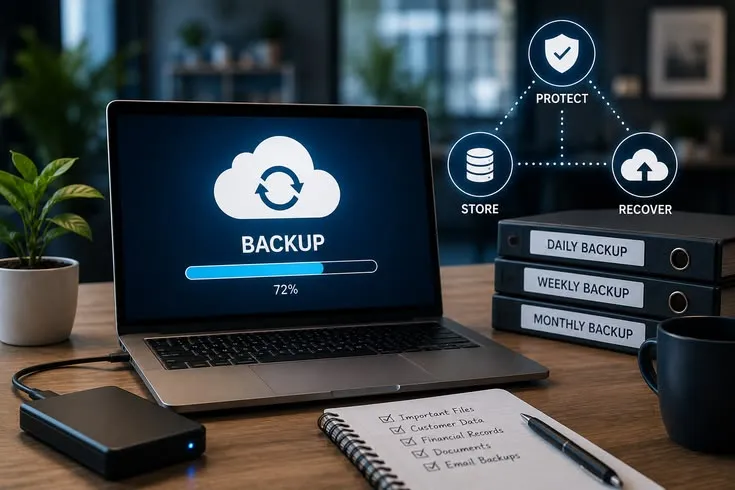
Create a database-consistent backup using the appropriate native tool rather than merely copying files while transactions are active. Verify the backup completes without errors and restore it to a test system. A backup is not proven until the restore procedure has been exercised.
Protect the exported data in transit and at rest. Restrict who can download it, and avoid placing credentials in ordinary email or shared spreadsheets. Where privacy or contractual rules apply, confirm the proposed server location and storage practices meet those obligations.
Prepare the destination environment
Configure the Windows Vps Server with appropriate disk space, updates, firewall rules and application accounts. Install the approved database version and confirm services restart correctly. Do not expose the database port directly to the public internet unless an explicit, secured architecture requires it.
Set up monitoring for storage consumption, failed logins and backup completion before opening access to users. Allocate enough resources for normal operation and maintenance tasks. Database performance is affected by query design, indexes and caching, as well as the capacity of the virtual machine.
Rehearse with real application workflows
Restore a recent copy, reconnect the application and test its most important actions: login, search, saving a record, running a report and exporting data. Compare row counts or other integrity indicators against the source system. Ask a nontechnical user to test familiar tasks as well.
Measure response times before and after the move using equivalent workloads. A new host can improve a bottleneck, but migration alone cannot repair inefficient queries or poor schema design. If the new environment underperforms, investigate with logs rather than assuming a faster plan will solve everything.
Cut over with a rollback path
Schedule a final backup and define when source writes will stop. Perform the last synchronization, validate the destination and update connection settings. Assign one person to make the go-or-no-go decision after testing so the team does not move users to an unverified database.
Keep the previous environment intact during an agreed observation period. Document the conditions under which traffic would return to the old system, bearing in mind that newly written records may complicate rollback. Clear communication is as important as a technically correct migration.
Inform the people affected
Tell staff which features may be unavailable during the switch and where they should report unexpected behavior. A concise communication plan prevents users from continuing to enter information into an old application after the destination becomes authoritative.
After the change, collect feedback from people who use the busiest workflows. Database integrity tests prove that records survived, but everyday users can identify missing permissions, confusing paths or broken reports that a technical checklist overlooked. If the application exchanges data with outside systems, rehearse those integrations using test credentials. Payment gateways, scheduled imports and reporting exports can fail even when local database queries succeed. Include these dependencies in the sign-off checklist so a migration is evaluated end to end.
Conclusion
A database migration succeeds when records remain accurate, applications work and the recovery plan is credible. Treat the new server as one component of a larger operational change, not a shortcut to guaranteed speed.
A small rehearsal and a validated restore can prevent major disruption. For teams comparing Windows hosting environments, cheapwindowsvps.com may be evaluated against these practical migration requirements. Include the application owners in careful final acceptance testing, because apparently successful data transfers can still leave everyday workflows broken or reports inconsistent across departments.
